

Filtering and Retrieval
The system supports multi-dimensional combination filtering to help you precisely locate data: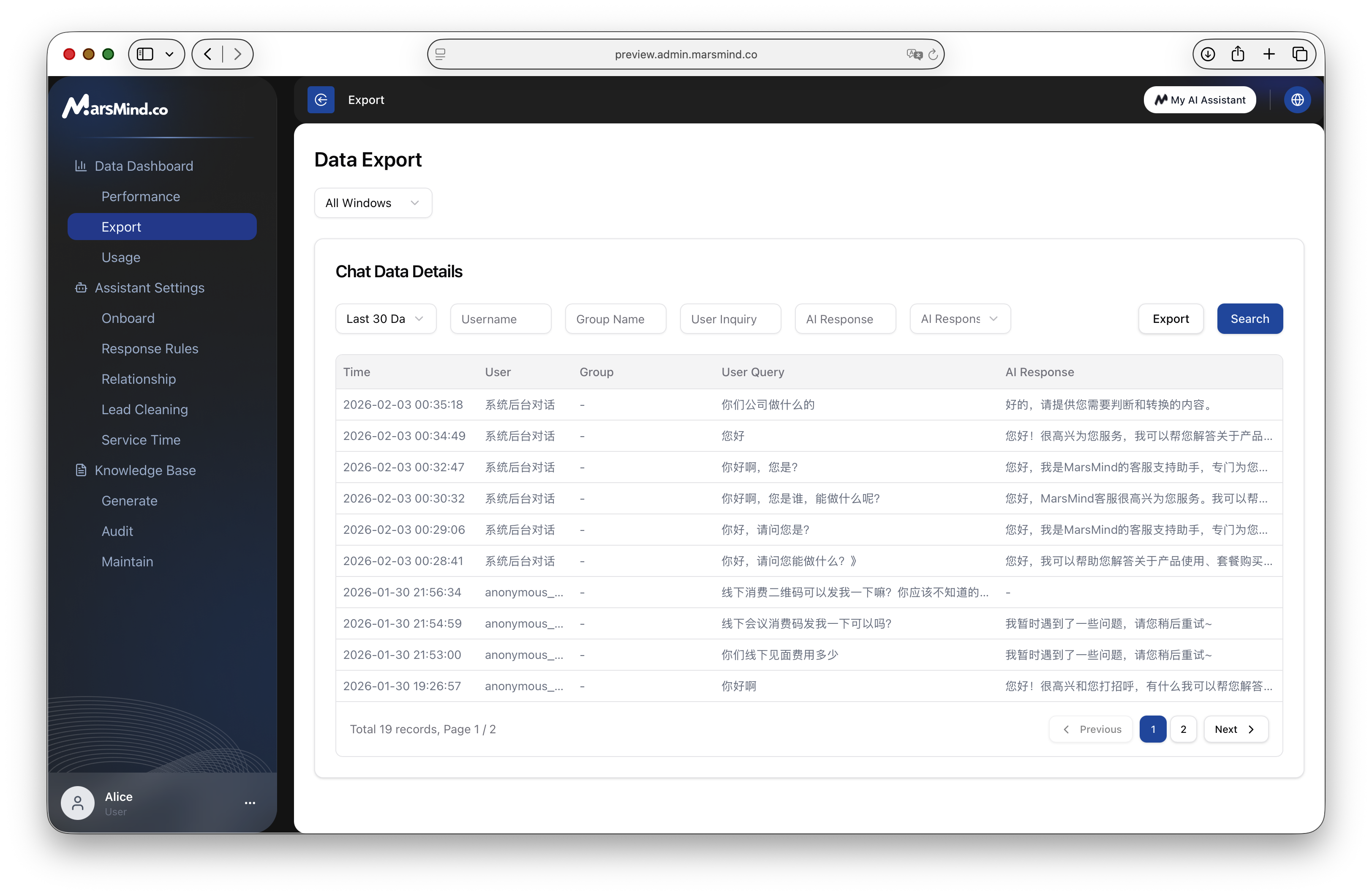
- Time Range: Supports shortcuts like “Today”, “Last 3 Days”, “Last 7 Days”, “Last 30 Days”, and also supports custom time periods.
- Communication Window: Select a specific website or channel source.
- Keyword Search:
- Username/Group Name: Find records of specific customers or groups.
- User Inquiry Content: Search for user questions containing specific keywords (e.g., search for “price” to view all inquiry records).
- AI Response Content: Search for AI reply content.
- AI Response Status: Filter records of whether AI replied successfully.
Export Operation
- After setting the filter conditions, click the “Search” button above the list to preview the data.
- After confirming it is correct, click the “Export” button.
- The system will generate an Excel or CSV file and automatically start downloading.
The exported data contains detailed fields such as dialogue timestamp, user ID, original content, AI reply content, and confidence level, which is very suitable for secondary analysis or training corpus cleaning.