> ## Documentation Index
> Fetch the complete documentation index at: https://docs.marsmind.co/llms.txt
> Use this file to discover all available pages before exploring further.
# Login security
> Change your admin login password.
1. Select **Login security** in the bottom-left account menu or the account settings tabs.
2. Enter **Old Password**, **New Password** and **Confirm Password**. The new password needs at least 6 characters, must differ from the old password, and must match the confirmation.
3. Click **Update password**. Inputs are locked while saving. A successful update clears the form.
Screenshots use demo accounts and demo data. Controls and labels match the current interface.
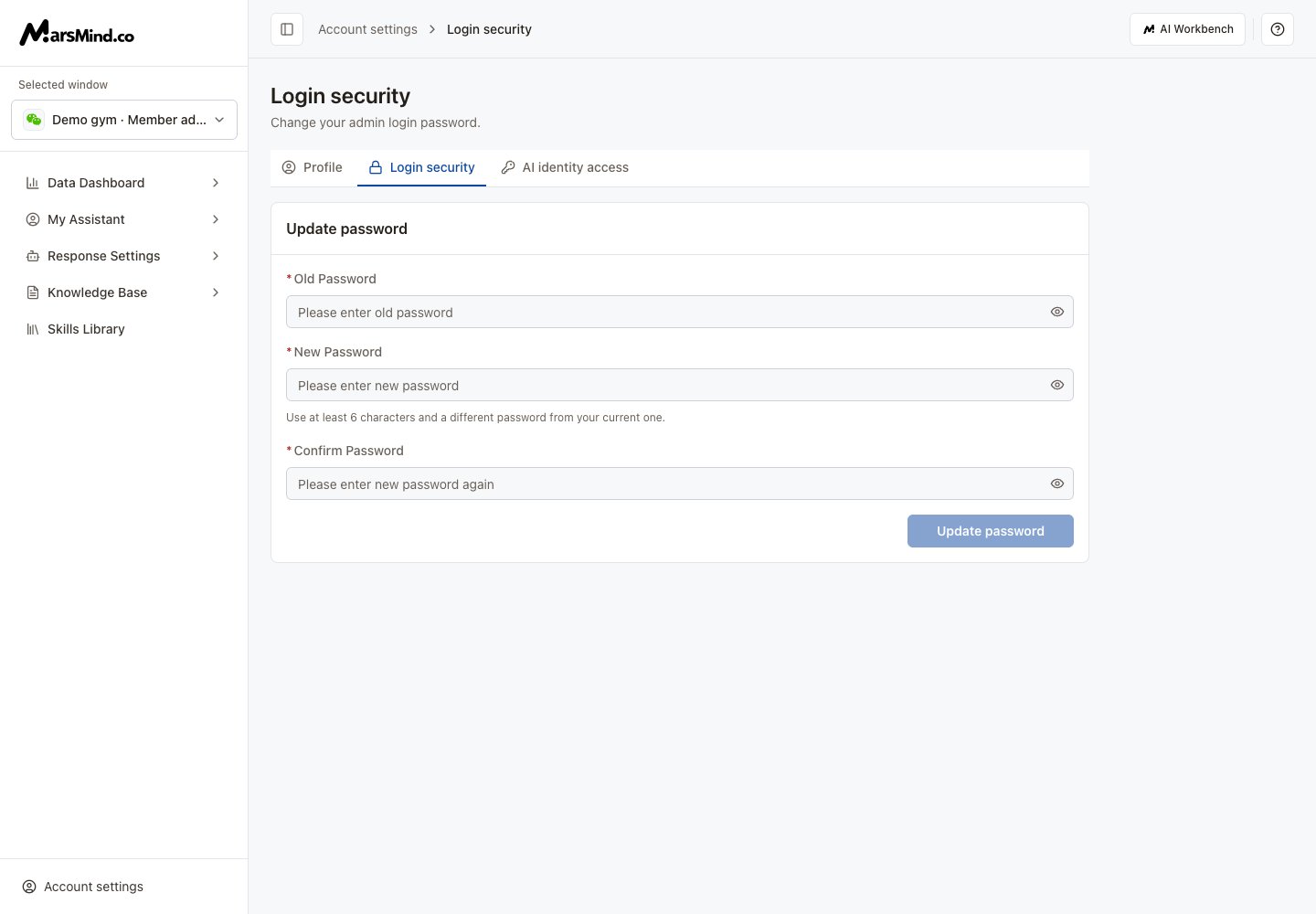 If the button is unavailable, check the current password, minimum length and confirmation. If updating fails, correct the reported error and retry. Resolve unsaved changes before switching pages.
[Return to Profile](/en/admin-backend/account/personal-settings)
This documentation is built and hosted on [Mintlify](https://mintlify.com), a developer documentation platform.
If the button is unavailable, check the current password, minimum length and confirmation. If updating fails, correct the reported error and retry. Resolve unsaved changes before switching pages.
[Return to Profile](/en/admin-backend/account/personal-settings)
This documentation is built and hosted on [Mintlify](https://mintlify.com), a developer documentation platform.