> ## Documentation Index
> Fetch the complete documentation index at: https://docs.marsmind.co/llms.txt
> Use this file to discover all available pages before exploring further.
# AI identity access
> Generate supervisor or colleague codes to send to AI accounts.
## Send a saved code
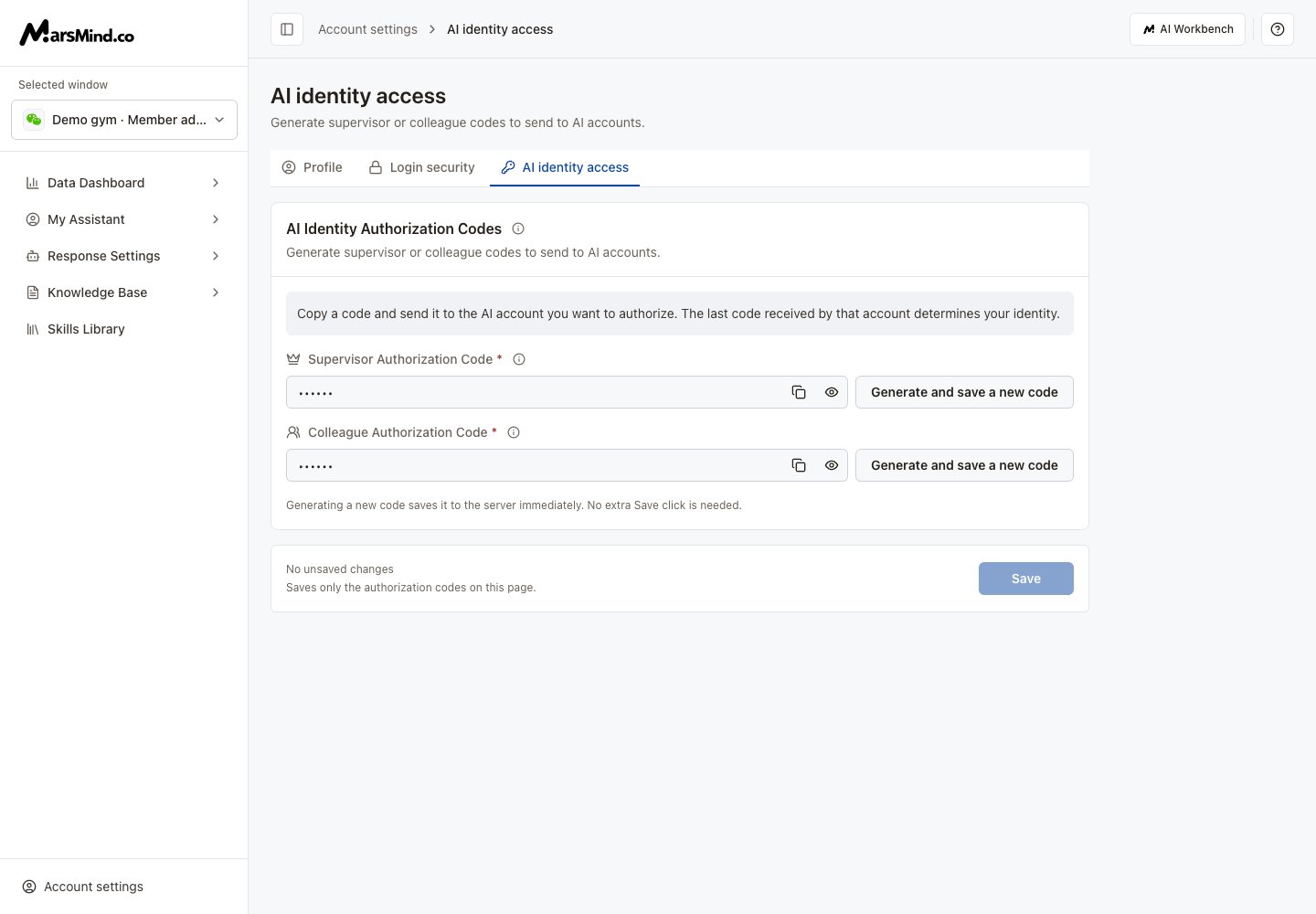
1. Select **AI identity access** in the account menu or account settings tabs.
2. Find **Supervisor Authorization Code** or **Colleague Authorization Code** and click its copy icon. The eye icon shows or hides the code.
3. Send the copied content to the AI account you want to authorize. Supervisor codes are copied with `#`, for example `#A1b2C3`; colleague codes are copied without a prefix.
4. The last code received by the same AI account determines your identity. Supervisor and colleague roles overwrite each other.
Screenshots use demo accounts and demo data. Controls and labels match the current interface.
 ## Replace a code
1. Generate automatically: select **Generate and save a new code** for the relevant code. A successful generation saves it immediately.
2. Edit manually: enter exactly 6 letters or numbers, then click **Save** at the bottom. Save before copying the edited code.
3. Save any existing draft before generating a new code. Retry if generation or saving fails.
If field validation blocks generation, complete both code fields as prompted and save them before generating. These codes set AI chat roles, not API access or admin-console permissions. Keep real codes out of public screenshots.
This documentation is built and hosted on [Mintlify](https://mintlify.com), a developer documentation platform.
## Replace a code
1. Generate automatically: select **Generate and save a new code** for the relevant code. A successful generation saves it immediately.
2. Edit manually: enter exactly 6 letters or numbers, then click **Save** at the bottom. Save before copying the edited code.
3. Save any existing draft before generating a new code. Retry if generation or saving fails.
If field validation blocks generation, complete both code fields as prompted and save them before generating. These codes set AI chat roles, not API access or admin-console permissions. Keep real codes out of public screenshots.
This documentation is built and hosted on [Mintlify](https://mintlify.com), a developer documentation platform.